A complete AI photo enhancement studio for Windows. Repair old photos, upscale to 4K, add color to black-and-white images, remove scratches, and more — all processed locally with zero data upload.
An intuitive, fluent interface that makes AI-powered photo restoration effortless.
Pick a tool, load your photo, click Start — the AI engine runs entirely on your device. No cloud, no account, no waiting for uploads.
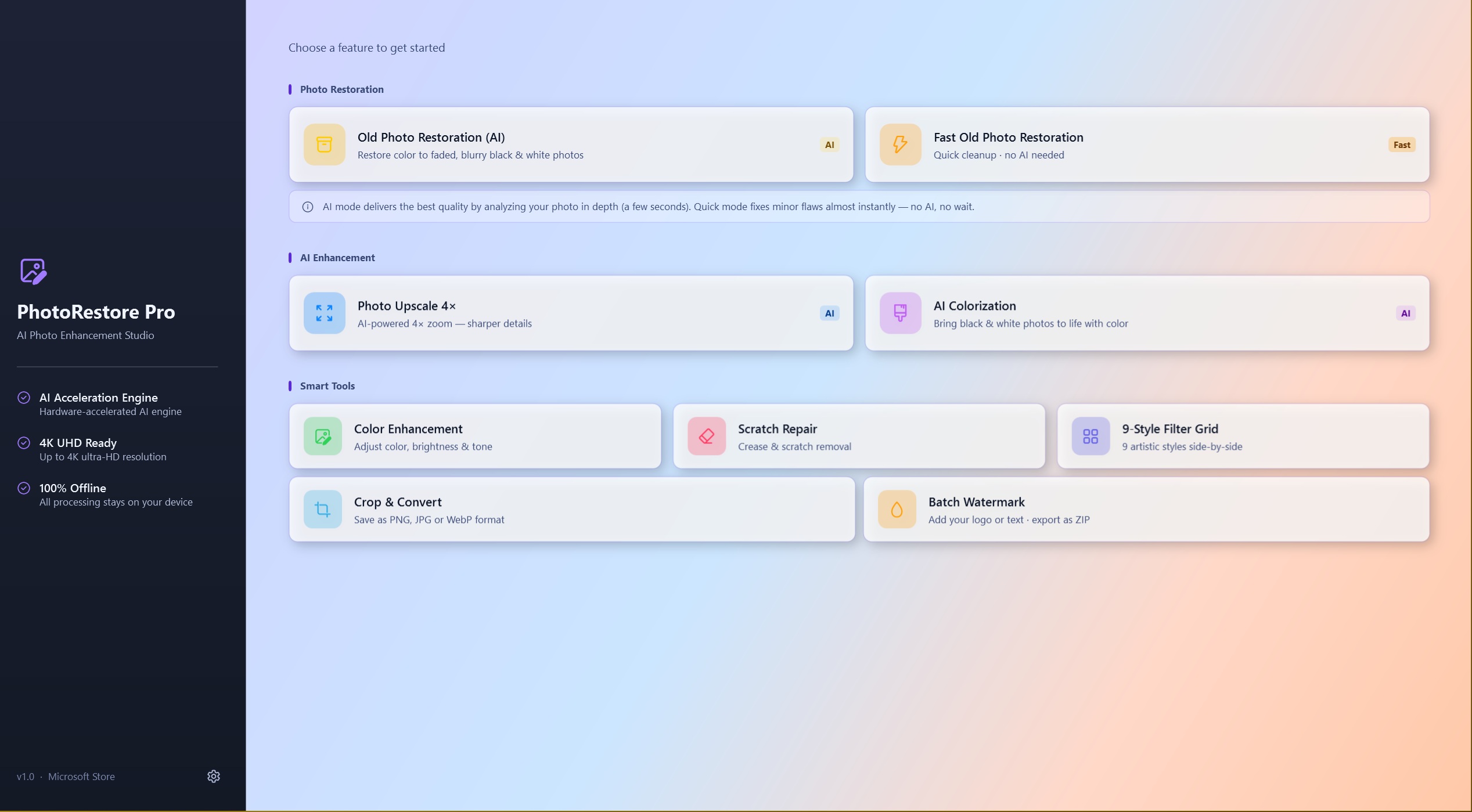
Pick from any of the eight tools on the home screen — each card tells you exactly what it does and how long it takes.
Load any PNG, JPEG, WebP, BMP, or TIFF image. Click Start — the AI runs locally on your GPU via DirectML.
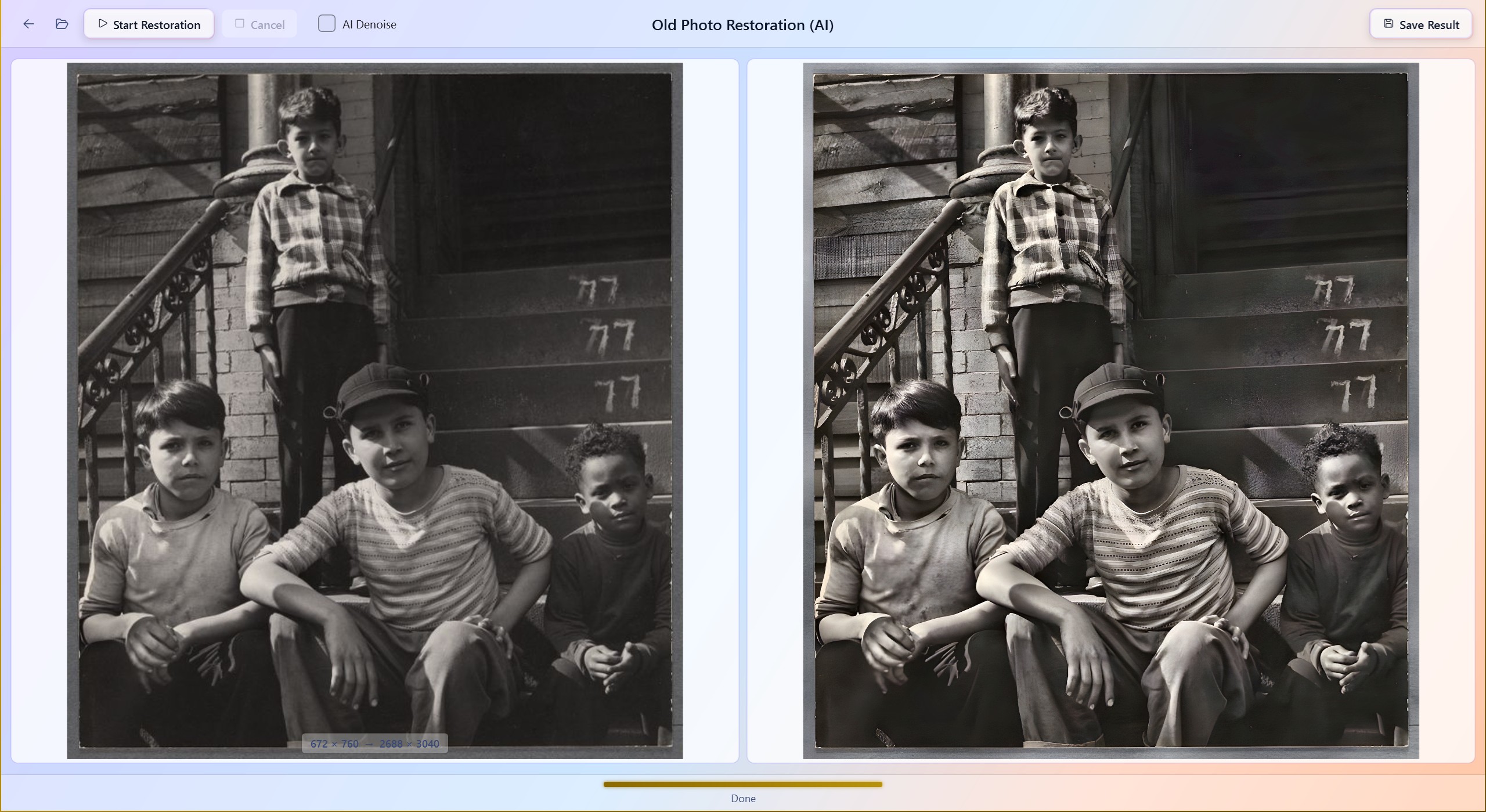
Review the before-and-after comparison side by side, then export a high-quality result in your preferred format.
From treasured family memories to professional deliverables — if you work with photos, PhotoRestore Pro fits your workflow.
Restore faded wedding photos, colorize black-and-white portraits from decades past, and repair creased prints — all without sending precious memories to the cloud.
"I restored my grandparents' 1942 wedding photo." — Sarah M., Oregon
Upscale client deliverables to 4K, batch-watermark proofs, and enhance color with one-click presets — all offline for client confidentiality.
"Matched the quality of cloud services." — David K., London
Batch-watermark 50 product photos at once, resize for web, and convert formats — all in one offline tool without recurring subscription fees.
"Watermarked 50 photos in under a minute." — Anna R., Berlin
Classic restoration mode preserves original resolution for archival-grade scans. Deterministic algorithms ensure reproducible results for documentation and curation.
"Preserves original resolution — no AI artifacts."
From faded family photos to low-resolution shots, PhotoRestore Pro covers every restoration scenario.
Bring severely aged or faded photos back to life. A full AI pipeline — denoising, color enhancement, and 4× upscaling — is applied in sequence for the highest possible quality output.
Instantly clean up lightly aged photos using traditional algorithms only. No AI wait time — results appear in milliseconds, perfect for photos that just need a quick touch-up.
Enlarge any photo to four times its original resolution using a Real-ESRGAN model. Recovers sharp details from compressed or low-resolution images with remarkable clarity.
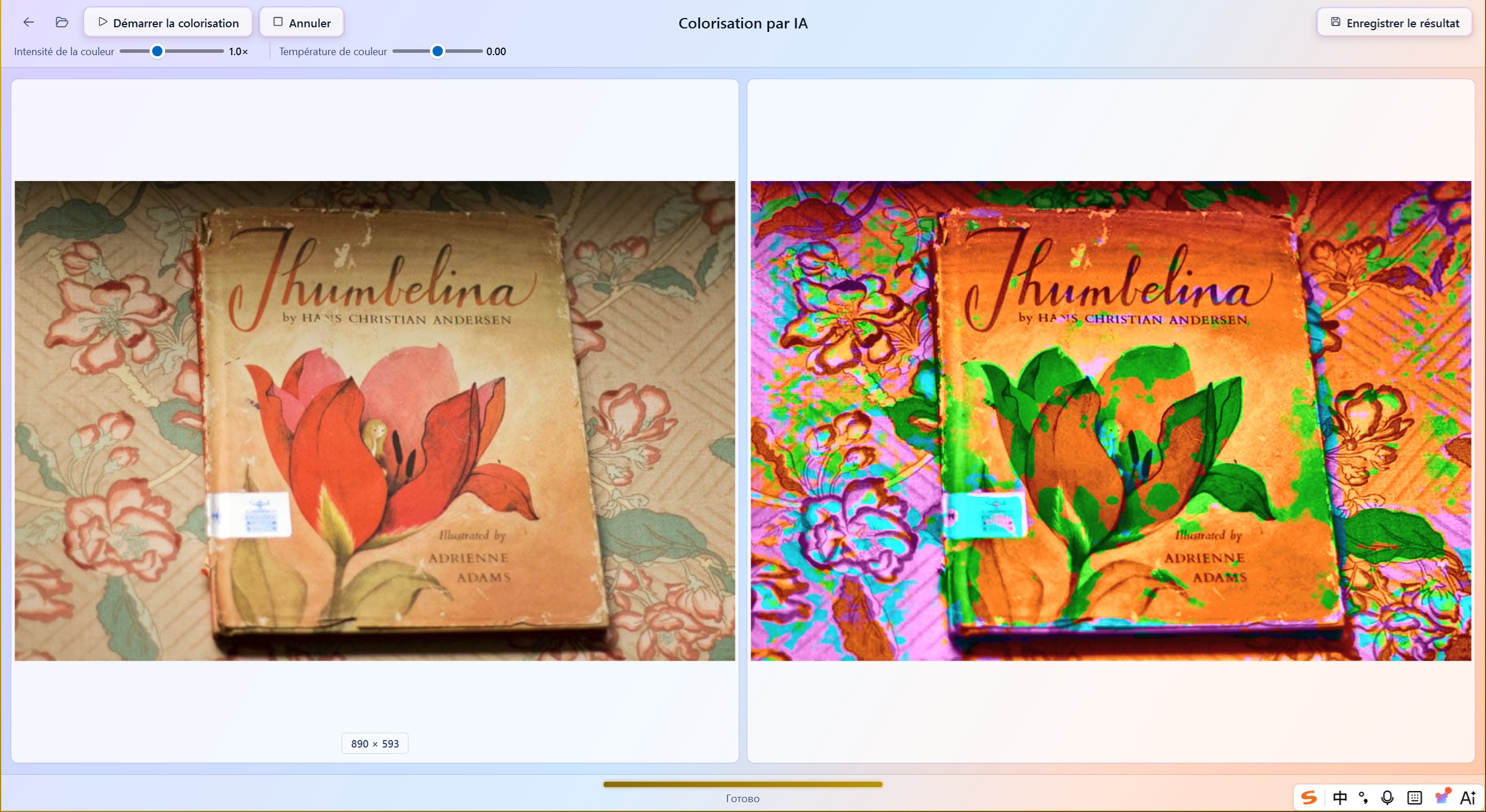
Transform black-and-white photographs into natural, vivid color images. The AI model analyzes scene context to produce plausible, life-like color without manual input.
Choose from eight distinct visual presets — from Natural & Crisp to Cinematic Film — to instantly lift the contrast, saturation, and warmth of any color photo.
Detect and remove physical scratches and fold lines from scanned photos using morphological inpainting. Restores visual continuity across damaged areas without leaving artifacts.
Preview nine artistic filters side-by-side in a scrollable thumbnail strip and pick your favorite. Filters include Black & White, Vintage Warm, Cool Teal, Film Grain, and more.
Crop photos with precision using preset aspect ratios or a free selection, then export to PNG, JPEG, BMP, or TIFF — all in one step with no external tools required.
Apply text or image watermarks to up to 50 photos at once. Configure position, opacity, size, and rotation, then export the entire batch in a single operation.
Ready to restore your photos?
Free trial — no credit card, no account, no upload. Your photos stay on your device.
Download Free TrialAll AI inference and image processing runs entirely on your local machine. No account required. No internet connection needed.
Every model and algorithm runs locally. The app works without an internet connection after installation.
Your images are processed in memory on your own machine and are never transmitted to any server.
No sign-up, no login, no subscription. Download from the Microsoft Store and start using it immediately.
AI models run via ONNX Runtime with DirectML acceleration. Automatically falls back to CPU on unsupported hardware.
Most AI photo tools require uploading your images to remote servers — but that introduces privacy risks, latency, and usage limits. Here's why offline processing is the smarter choice.
✔ Photos never leave your device — zero privacy risk
✔ No internet connection needed after install
✔ No upload wait time — instant local processing
✔ No usage caps, no monthly fees
✔ Works anywhere, even without Wi-Fi
✔ Full GPU acceleration via DirectML
✘ Upload sensitive photos to third-party servers
✘ Require constant internet access
✘ Slow queue times on shared GPU clusters
✘ Monthly subscription locks you in
✘ Useless without connectivity
✘ Privacy policy may change anytime
No. All AI models and image processing run entirely offline on your device. After installation from the Microsoft Store, you never need an internet connection — your photos never leave your computer.
Import: PNG, JPEG, WebP, BMP, TIFF. Export: PNG, JPEG, WebP, BMP, TIFF — all with adjustable quality settings where applicable.
Never. PhotoRestore Pro always saves results as new files. Your original images are never modified — they serve as your permanent backup.
Yes. Download the free trial from the Microsoft Store — no credit card, no account required. The trial gives you full access to all features with limited AI processing per session. Purchase a license anytime for unlimited AI processing and batch operations.
AI Restoration uses a deep-learning pipeline (15–60s) for severely aged photos. Fast Restoration uses traditional algorithms (under 1s) for lightly faded photos — choose based on your photo's condition.
Yes. Photos processed with PhotoRestore Pro can be used for commercial purposes — client work, prints, publishing, social media. No usage restrictions or watermarks on exported images.
No data collection of any kind. PhotoRestore Pro does not include analytics, telemetry, crash reporting, or any network communication. Every pixel is processed exclusively in your computer's memory.
All purchases are processed through the Microsoft Store, which provides a standard refund policy. Try the free trial first to ensure the app meets your needs before purchasing.
Windows 10 (64-bit) or Windows 11 (64-bit). ARM devices supported via x64 emulation.
Minimum 4 GB, recommended 8 GB or more for faster AI processing.
DirectML-compatible GPU for 3–8× faster AI inference. Falls back to CPU automatically if no compatible GPU is detected.
~2 GB free space for AI model files and temporary processing. Additional space recommended for output images.
Download the free trial from Microsoft Store — explore all features with no time limit on basic tools. Purchase a license when you're ready to unlock unlimited AI processing and batch operations.
Full access to all features. Limited AI processing runs per session. No credit card, no account — just download and start.
One-time purchase or subscription via Microsoft Store. Unlimited AI processing, batch operations, and all future updates within the version.
“I restored my grandparents' wedding photo from 1942. The AI colorization brought it to life in a way I didn't think was possible. My mom cried when she saw it.”
— Sarah M.
Family Historian, Oregon
“As a photographer, I was skeptical about offline AI tools. PhotoRestore Pro matched the quality of cloud services — and my clients' photos never leave my workstation. Game changer.”
— David K.
Portrait Photographer, London
“I batch-watermarked 50 product photos in under a minute. The interface is so intuitive — I didn't need a tutorial. Finally, an AI tool that respects privacy.”
— Anna R.
E-commerce Owner, Berlin
PhotoRestore Pro ships with full UI localization for seven languages, switchable at any time from Settings.